If you manage your properties with Lodgify, you can connect it to BetterSTR to sync your properties and reservations automatically. Every booking then gets its own personalised digital guidebook, with no manual data entry.
What you’ll need
- A BetterSTR account
- Your Lodgify API key
BetterSTR connects to one PMS at a time. If your account is already connected to another PMS, disconnect it first (see Switching Between PMS Providers).
Where to find your Lodgify API key
In Lodgify, click the Settings (gear) icon, open Public API and copy your API key. If no key is shown, generate one first.
Steps to connect Lodgify with BetterSTR
Open the Integrations page
In BetterSTR, click Integrations at the top of the page. Find the Lodgify card and click Connect.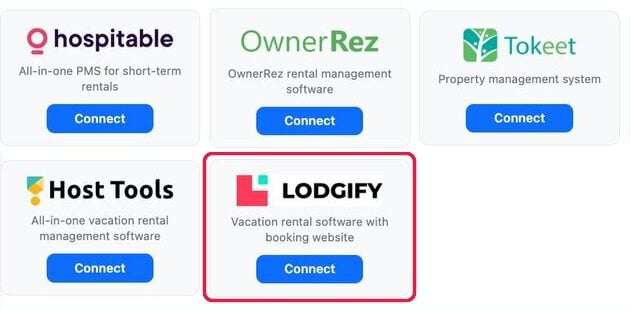
Paste your API key
Paste your Lodgify key into the API Key field (1) and click Connect Lodgify (2). BetterSTR checks the key with Lodgify straight away. If it isn’t accepted you’ll see Invalid API key; copy it again from Lodgify and retry. Connecting can take up to 20 seconds, so don’t close or refresh the page while it runs.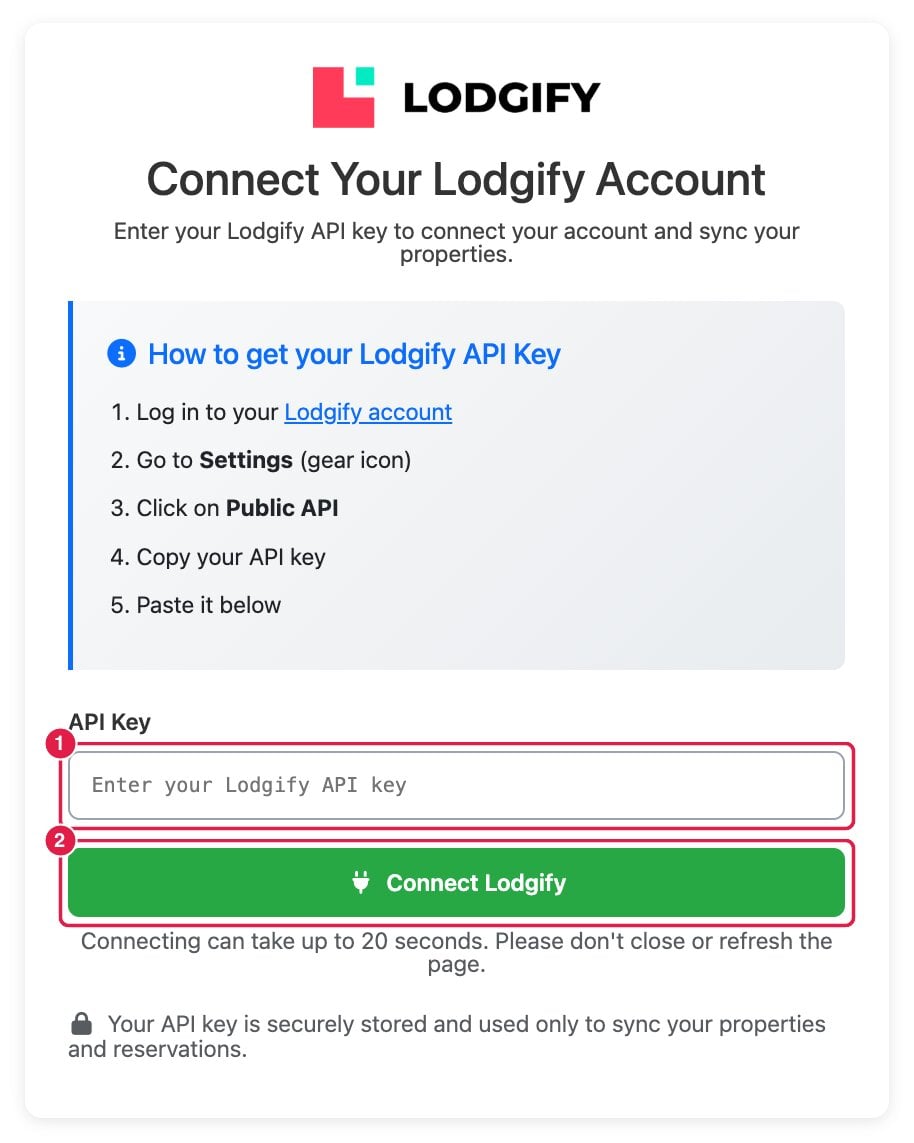
Let the first sync run
Once the key is accepted, the Lodgify Properties page opens and your properties are imported straight away. Your reservations are then imported in the background, usually within a few minutes.Choose which properties get guidebooks
Every imported property is switched on. Use the toggles (2) to turn off any property you don’t want guidebooks for, then click Update Selected (3). Only switched-on properties get guidebooks for their bookings. When you switch a property back on, its reservations are synced again.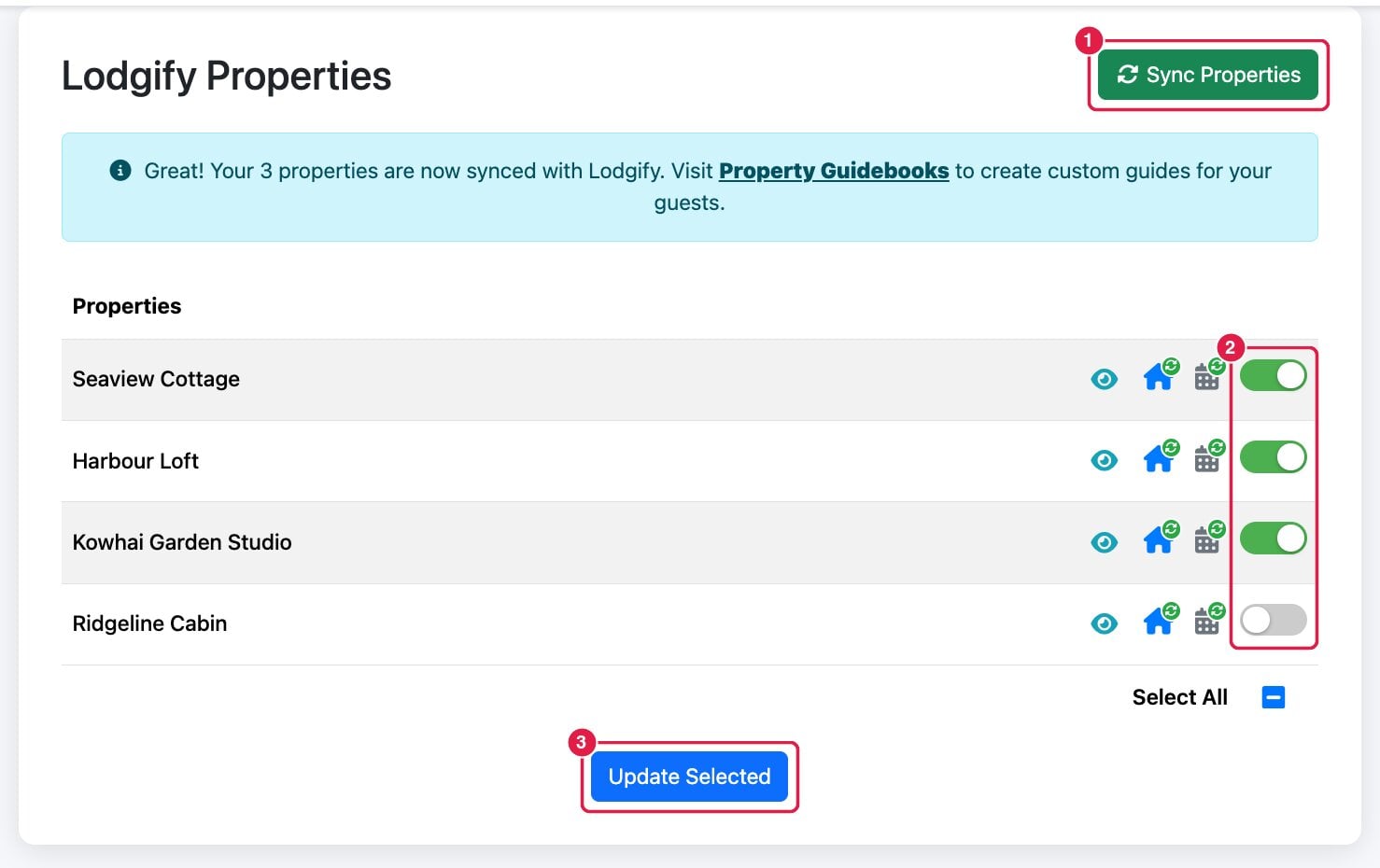
Each property row also has an eye icon to preview that property’s guidebook, a house icon to re-sync that property’s details, and a calendar icon to re-sync its reservations.
What happens after you connect
- New bookings arrive on their own. BetterSTR registers with Lodgify for booking notifications, so new bookings, changes and cancellations are picked up as they happen.
- Each reservation gets its own guidebook with the guest’s name and the booking’s actual check-in and check-out times.
- New properties: a property you add in Lodgify is imported automatically when its first booking comes in. To bring it in sooner, click Sync Properties (1).
- Removed properties: if a property is no longer in your Lodgify account when you sync, BetterSTR switches it off and asks whether you’d like to delete it or keep it.
- Create reusable guide templates and apply them across your portfolio to keep every property consistent.
The Lodgify menu
The Lodgify page’s menu has these options:
- Sync Properties: fetch your property list and details from Lodgify again.
- Sync Reservations: re-import your bookings in the background.
- Sync All History: import your past bookings too, for example to use BetterSTR’s TXT / SMS marketing features. This can take several minutes.
- Update API Key: paste a new key, for example after you regenerate it in Lodgify.
- Disconnect: removes the Lodgify connection and the data synced from it.
Getting the guidebook link to your guests
Lodgify has no shortcode or custom field for a guidebook link, so BetterSTR writes each guest’s link into the booking itself. You choose how in Guidebooks → Property Defaults, in the Lodgify Settings card:
- Booking note (the default): the link is added to the booking’s internal notes. Only you can see it, so copy it into your own guest messages.
- Message the guest directly: the link is sent to the guest in the booking’s Lodgify conversation, using a message template you can edit. Each booking gets this message once, shortly after it syncs.
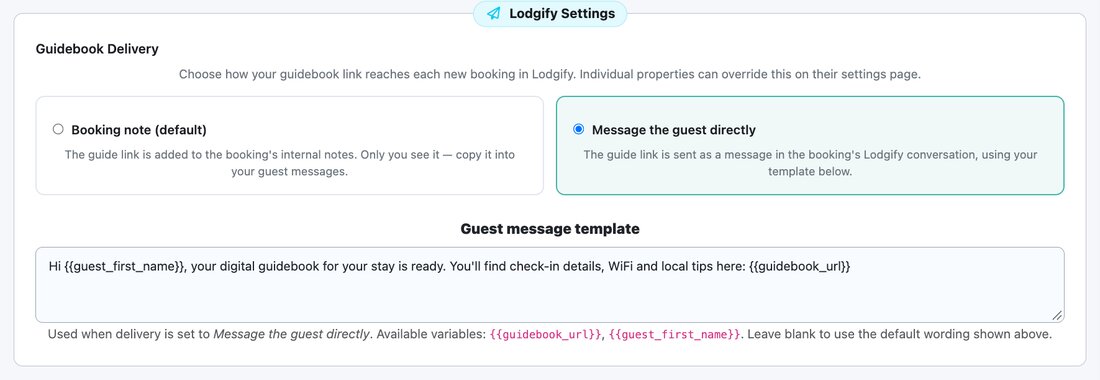
Individual properties can override this setting. For the full details, see Sending Your Guidebook Link Through Lodgify or Channex. To send the link again at a set time, such as 2 days before check-in, see Send the Guidebook Link at a Set Time Before Check-in.