Once your guidebook is translated, you don’t need to translate the whole guide again every time you change something. When you edit a section, BetterSTR can translate just that section into your other languages, for 10c per section per language.
Update translations when you save
- Open your guide in the Live Editor and edit a section in your guide’s main language (usually English), as normal.
- Click Save Changes.
- If the guide has translations, you’re asked “Update your translations?” with a tick box and price for each language. Untick any you don’t want.
- Click Queue update, or Skip to leave the translations as they are (free).
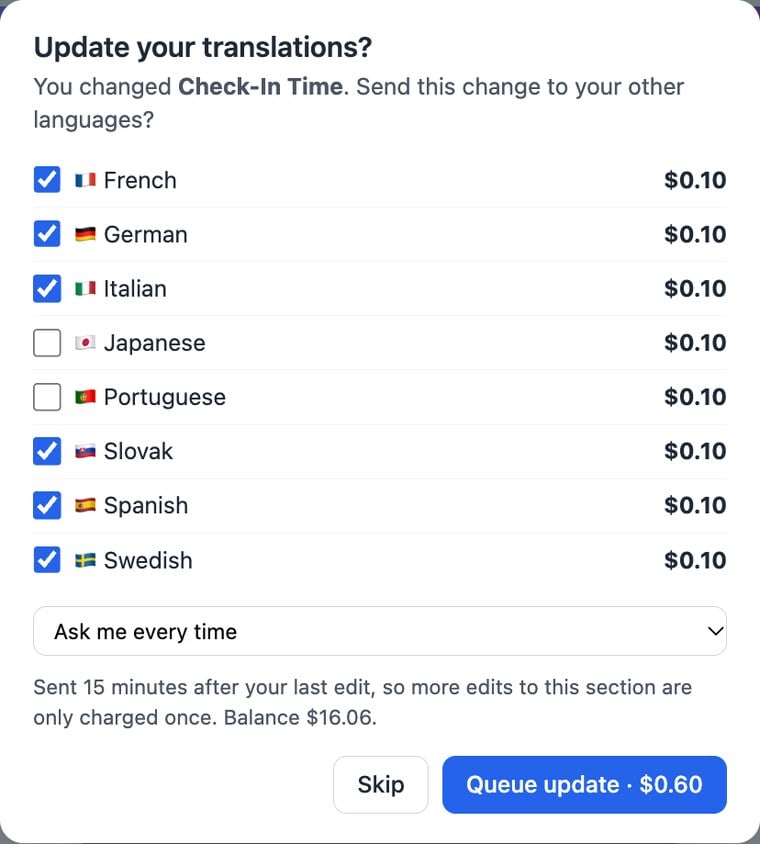
Renaming a menu heading that has no content of its own is updated for free.
Why updates wait 15 minutes
Most people make a few edits in a row. So instead of translating every save straight away, the update waits until you’ve stopped editing the guide for 15 minutes, then sends everything in one go. If you edit the same section again in the meantime, it’s still only charged once.
While updates are waiting, a bar in the corner of the live editor shows how many sections are queued, the cost and when they’ll be sent:

- Send now sends the queued updates within a minute.
- Cancel drops them. Nothing is charged until updates are actually sent.
Stop being asked every time
The Next time menu in the prompt lets you choose:
- Ask me every time (the default).
- Use this choice for the next 2 hours: handy during a long editing session. The languages you ticked are updated after every save without asking.
- Always update automatically: turns on Auto-translate my edits for this guide. You can switch it off again in the Translations window on the property page.
Bring a language up to date later
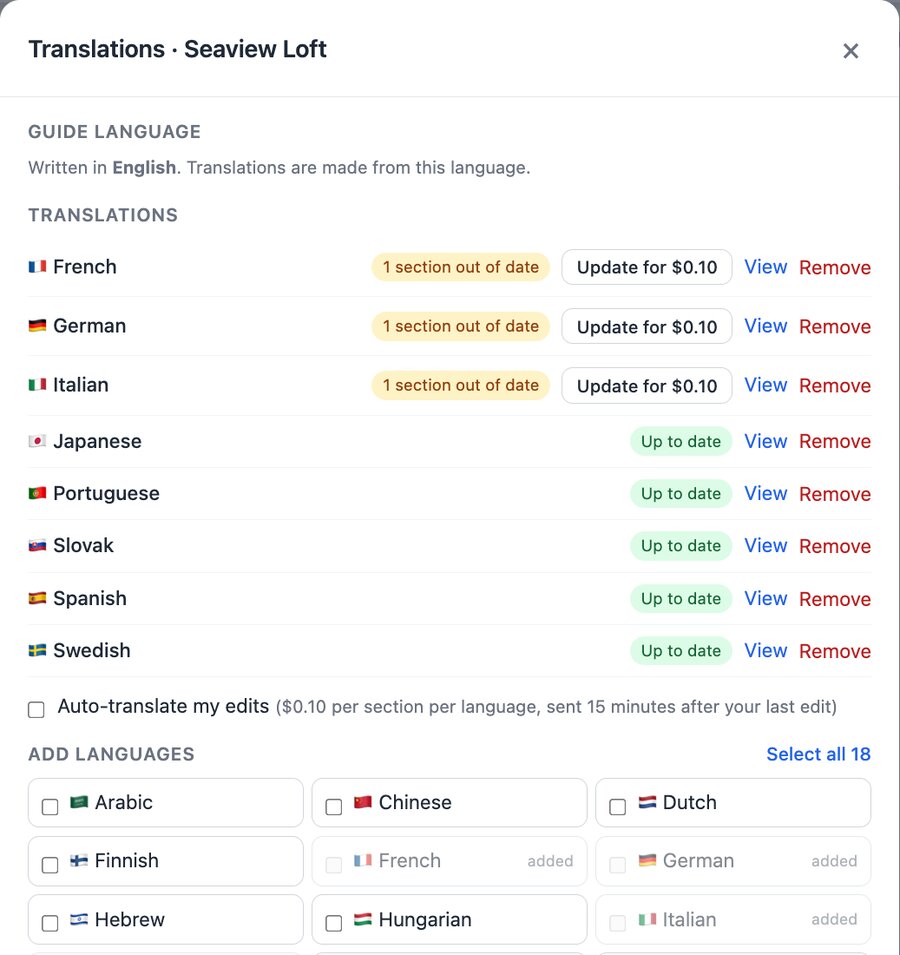
If you skipped updates, or edited the guide some other way, the Translations card on the property page shows how many sections of each language are out of date. Open Add or manage languages and click Update for $… next to that language. It translates only the out-of-date and new sections, at 10c each, and never costs more than translating that language from scratch.
Your own edits to a translation are protected
If you correct a translated section yourself (switch the live editor to that language and edit it), BetterSTR remembers it:
- the next time you change that section in English, that language starts unticked in the prompt, with a note that you edited it by hand. Tick it only if you want your wording replaced;
- if you edit a translation by hand after an update was queued, your wording is kept and that update is refunded;
- Update on the property page never touches sections you edited by hand. They’re shown as “edited by hand” instead.
What’s copied across for free
Deleting a section, moving it up or down, and showing or hiding it are copied to every translation automatically, at no charge.
Translations made before November 2026
Most translations made with our previous system were linked to your guide automatically. If a language shows as Older translation, its sections no longer line up with your guide, so section updates can’t be matched. Translate that language once more (tick Re-translate languages already added) and it gets updates from then on.