If you have several properties without a guidebook, you don’t need to open each one to get started. From the Properties page you can pick any number of properties and have AI write a starter guidebook for each, in one go. The guides are written in the background and you get one email when they are all ready.
Step by step
- Go to Properties.
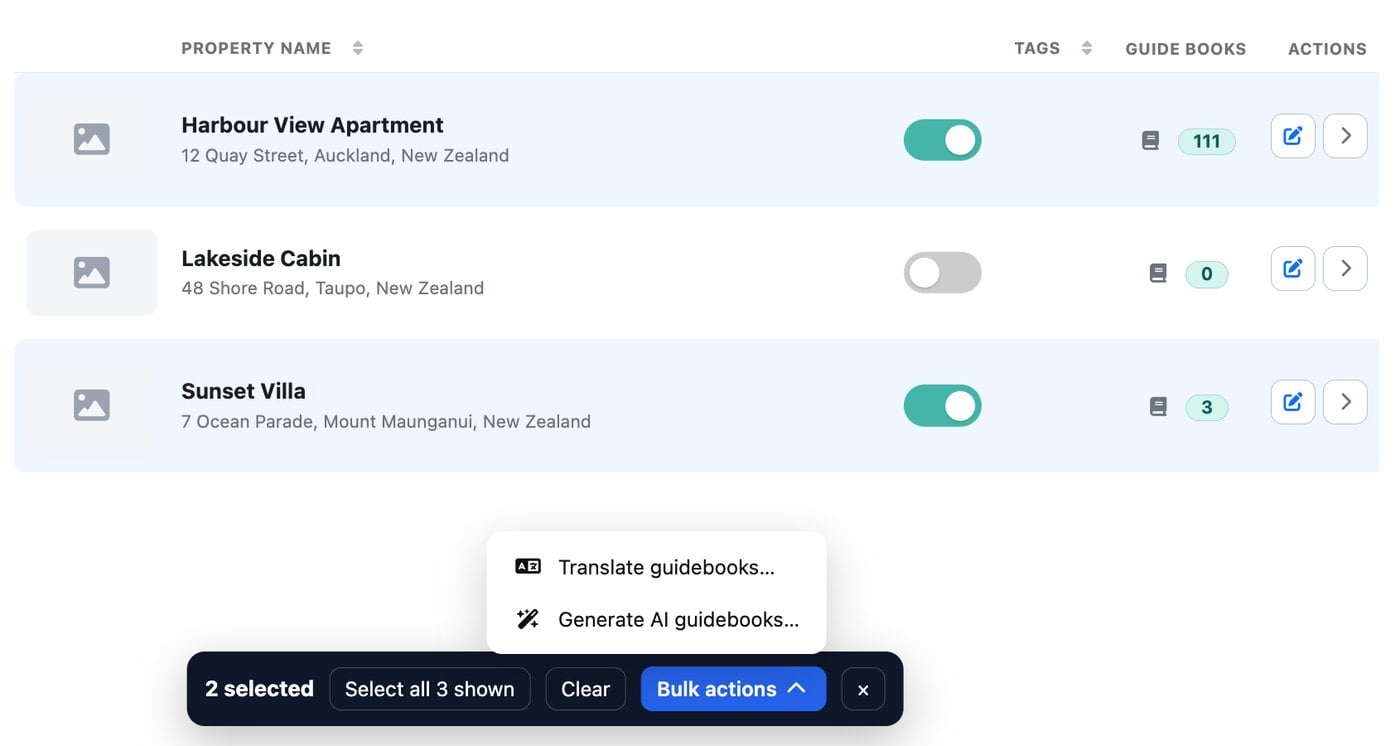
- Click Select above your property list. A switch appears on every property.
- Choose the properties:
- turn on the switch for each one, or click anywhere on a row;
- Select all shown picks every property that matches your current search or tag filter;
- Select by tag picks every property with that tag.
- In the bar at the bottom of the screen, click Bulk actions → Generate AI guidebooks….
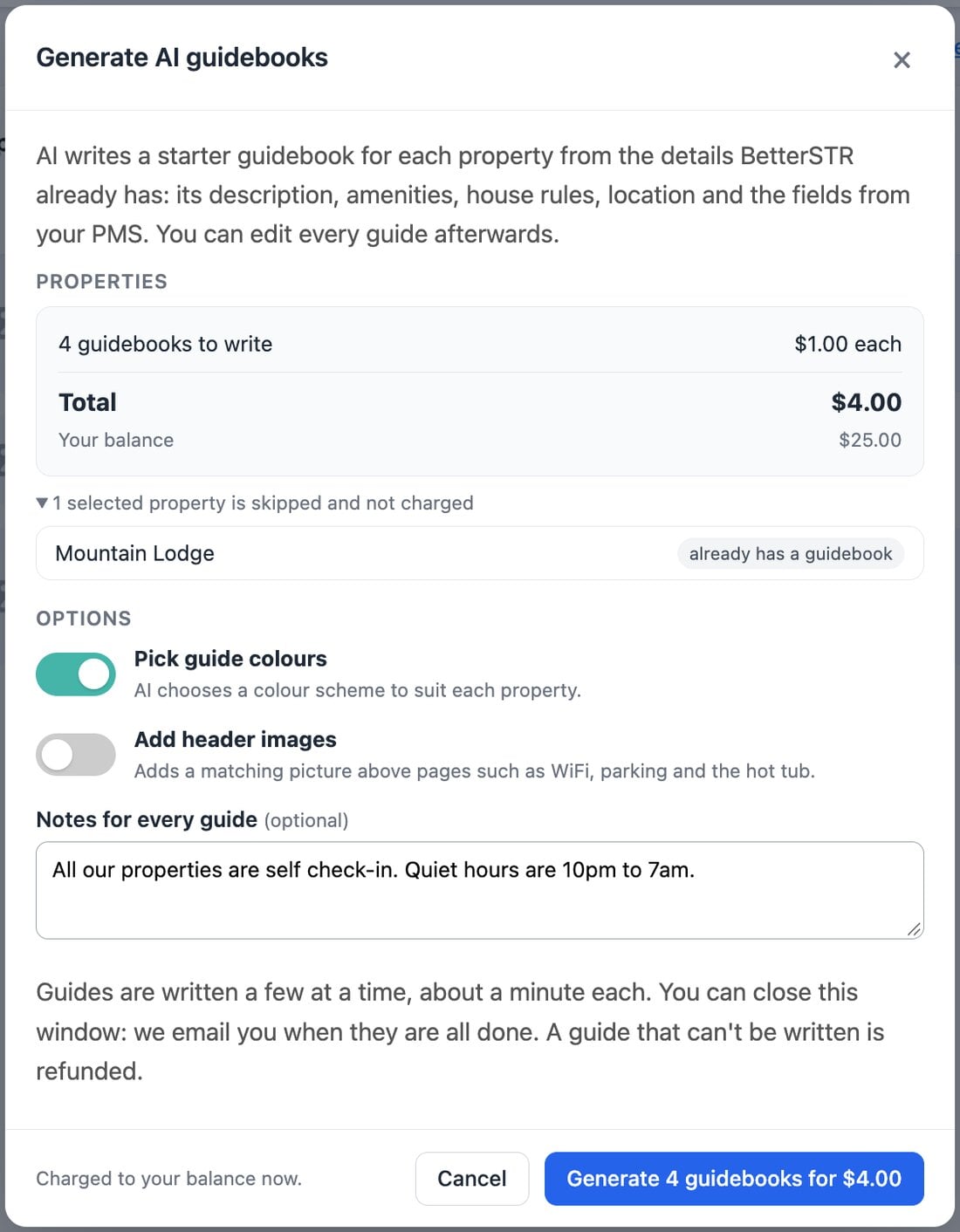
- Check the summary. It shows how many guidebooks will be written, the price and your balance. Properties that can’t get an AI guide are listed as skipped, and you aren’t charged for them.
- Set the options (see below) and click Generate … guidebooks.
What AI writes
For each property, AI writes a starter guidebook from the details BetterSTR already has: the description, amenities, house rules, location and the fields that come from your PMS. Where your PMS has custom fields, the guide uses them as shortcodes, so a change you make in your PMS later shows up in the guide by itself.
The guide is written in English. Once it’s there, you can translate many guidebooks at once into other languages.
Treat it as a first draft. Open each guide, check the details against the property and change anything you like in the live editor.
Options
- Pick guide colours (on to start with): AI chooses a colour scheme to suit each property.
- Add header images: adds a matching picture above pages such as WiFi, parking and the hot tub.
- Notes for every guide: anything that is true for all the selected properties, for example “All our properties are self check-in. Quiet hours are 10pm to 7am.” AI works these into every guide.
Which properties are skipped
AI writes a guide only where there isn’t one yet, so a property is left out when it:
- already has a guidebook. Nothing is overwritten. To improve a guide you already have, open it and use Enhance with AI;
- already has a guide being written, from an earlier batch;
- is switched off. Switch the property on first.
What it costs
Each guidebook is $1.00, the same as generating one guide on its own. If you have never used AI to write or enhance a guide before, your first one is free and the summary shows that.
You’re charged once, from your account balance, when you click Generate. If your balance is too low the window tells you how much to add. A guide that can’t be written is refunded to your balance automatically, so you only pay for the guides you get.
While it runs
You can close the window straight away. The guides are written on our servers a few at a time, about a minute each, even if you leave the page or log out.
While a batch is running, a progress bar shows above your property list. Click View progress to reopen it.

The progress window lists every property in the batch. As each guide finishes, an Open guide link appears next to it.
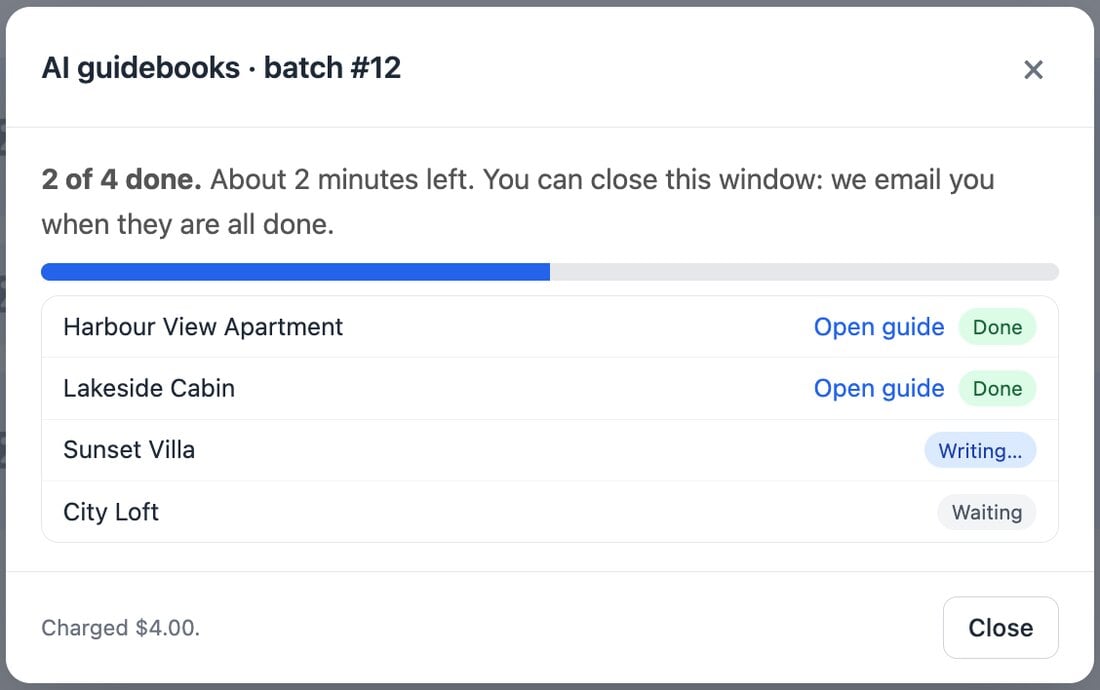
When the whole batch is finished we send you one email with how many guides were written, anything that wasn’t and why, and what was refunded.
Good to know
- AI can only use what BetterSTR knows about a property. The more your PMS listing has (description, amenities, house rules), the better the first draft.
- While a property’s guide is waiting or being written, you can’t start a second AI guide for it from the guide itself.
- You can include up to 500 properties in one batch.
- Tag your properties first under Tags / Grouping if you want to do one group at a time, then use Select by tag.