If some shows, movies or Live TV channels play with no sound while others are fine, the TV box has most likely decided your TV can play Dolby surround sound when it actually can’t. This is a quick setting change in your BetterSTR dashboard.
Why this happens
Many videos carry two audio tracks: a standard stereo track and a Dolby / DTS surround track. When the TV tells the box it supports Dolby, the box sends the surround track straight through to the TV untouched. Some TVs (and soundbars) report Dolby support when they can’t really play it, so the result is silence. Items that only have a stereo track still play fine, which is why it only happens with some items.
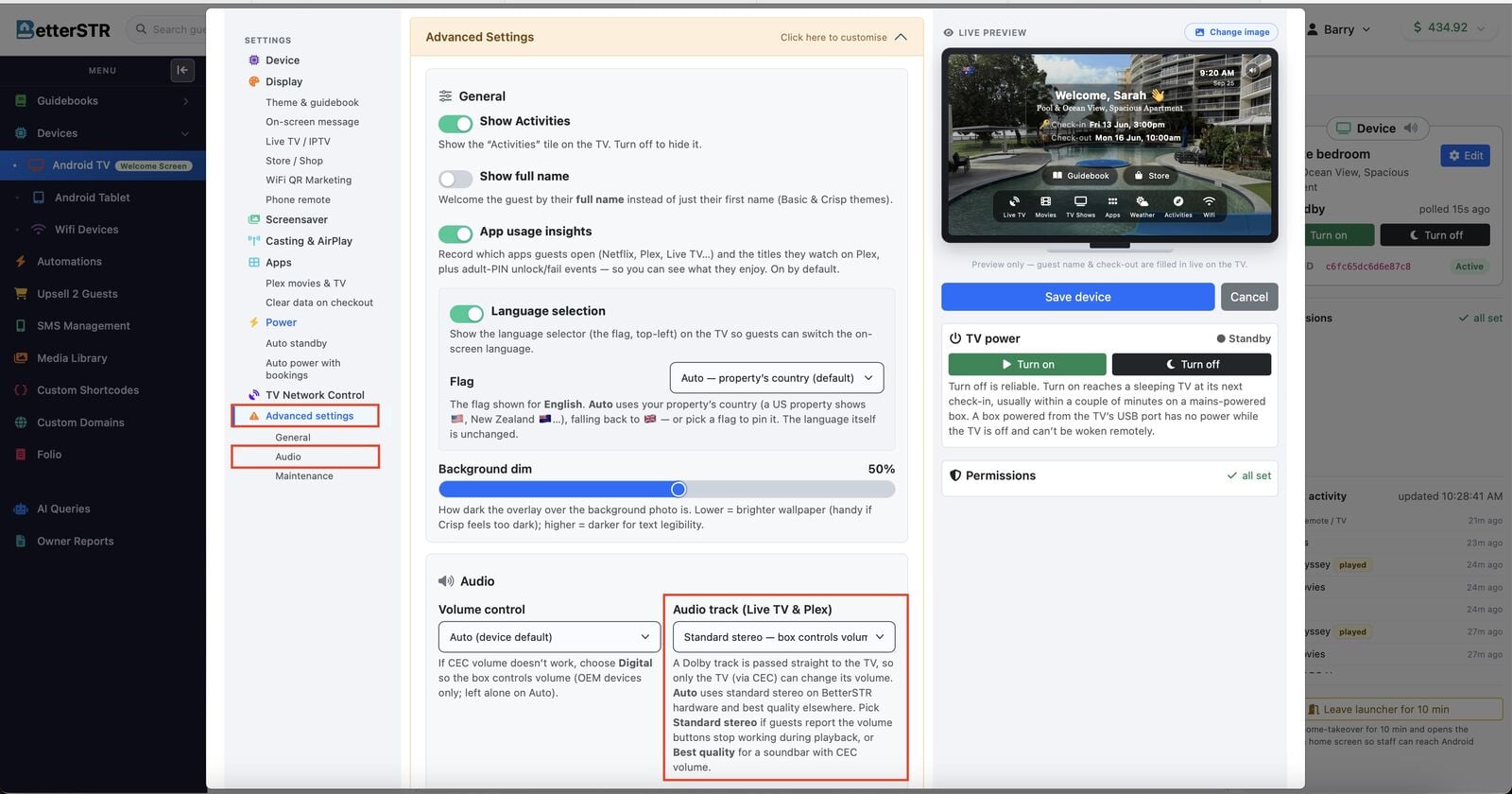
Switching the device to Standard stereo makes the box choose the stereo track instead, which every TV can play.
How to fix it
- Go to gb.betterstr.com/members/android-tv/ and log in.
- Click Edit on the TV device that has no sound.
- In the left menu, click Advanced settings, then Audio.
- Change Audio track (Live TV & Plex) to Standard stereo.
- Click Save device.
- On the TV box remote, press Home. This makes the box pull its new settings straight away.
- Play the item again. It should now have sound.
Still no sound? Check both volumes
There are two separate volume levels, and both need to be up:
- The TV’s volume. Use the TV’s own remote to turn the volume up and make sure it isn’t muted.
- The TV box’s volume (digital audio). Use the TV box remote to turn its volume up too. The box has its own volume level, and if it’s turned right down or muted you’ll hear nothing even with the TV turned up.
If one is at zero, turning the other one up won’t help.
The Audio track setting applies to Live TV and Plex played through the BetterSTR TV app. Other apps such as Netflix or YouTube manage their own audio. If one of those has no sound, check both volumes as above.