In short: go to Wifi Devices → Guest marketing, click Send to Mailchimp, sign in to Mailchimp and pick an audience. New guests go across every 5 minutes. It’s included on every plan, free one included. Step-by-step guide.
Why we built it
The WiFi captive portal and the WiFi QR code sign collect the email of every guest who gets online, not just the person who booked. Until now, getting those emails into your email tool meant downloading a CSV and importing it, and most hosts did it once and then forgot. A list that only gets updated when you remember isn’t much of a list.
Mailchimp is the email tool hosts mention most, so it’s first. Connect it once and guests flow in by themselves, whatever PMS you use.
How it works
- A guest joins your WiFi and fills in your sign-in form, ticking the marketing box if they want your news.
- Within 5 minutes they’re in your Mailchimp audience with their name and phone number, tagged BetterSTR WiFi and the property name.
- You email them from Mailchimp like any other contact: a last-minute deal on the property they stayed at, a returning-guest discount, your direct booking link for next summer.
You decide who gets sent
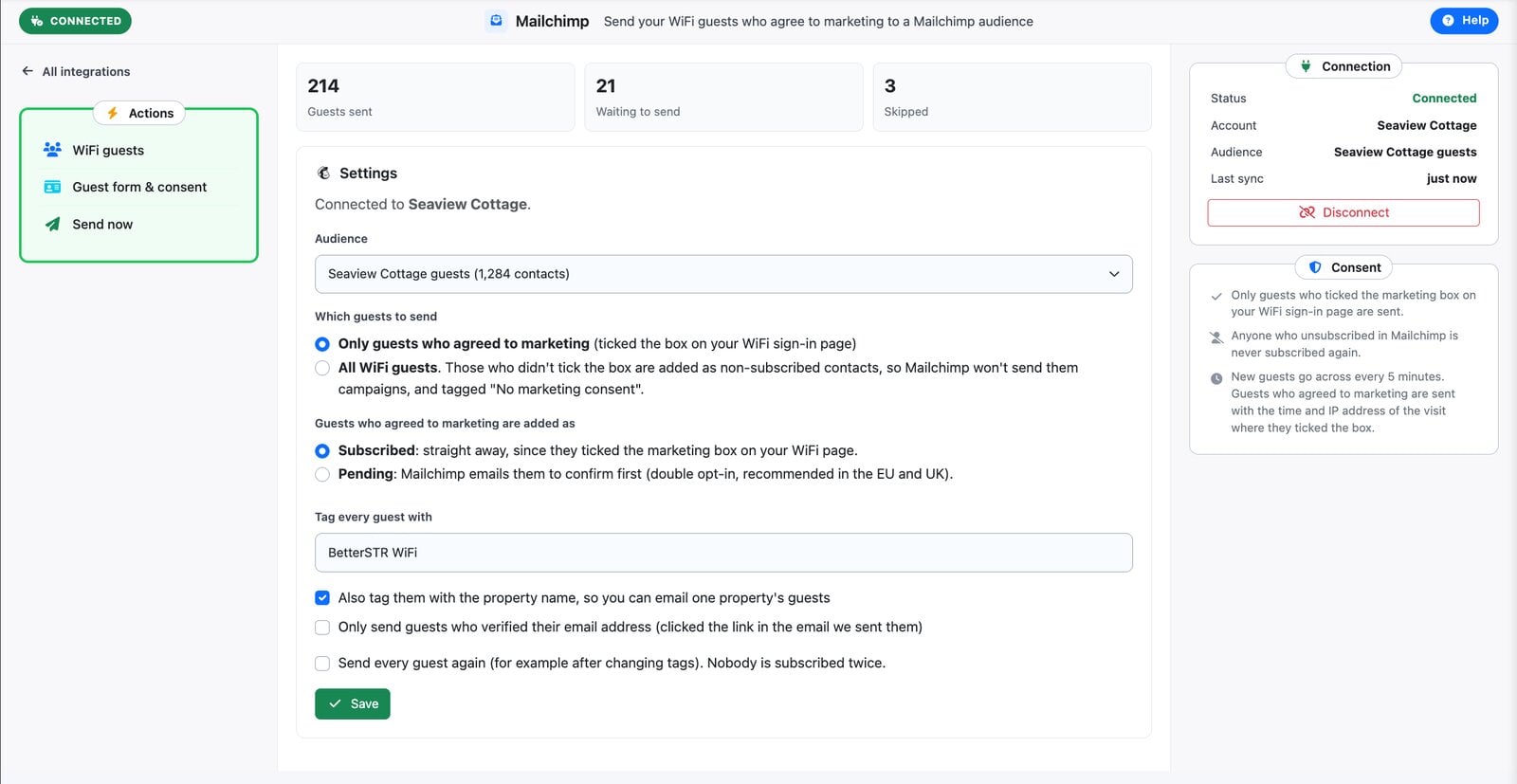
Some hosts only want guests who said yes to marketing. Others want every guest in one place and will sort it out in Mailchimp. Both are fine, so it’s a setting:
- Only guests who agreed to marketing (the default): guests who ticked the box on your WiFi page.
- All WiFi guests: everyone, but guests who didn’t tick the box go in as non-subscribed contacts tagged No marketing consent. Mailchimp won’t send them campaigns. If they tick the box on a later stay, they’re subscribed and the tag comes off.
- Only verified emails: if you use email verification on your WiFi, you can send only guests who clicked the link we emailed them. No typos, no made-up addresses.
Guests who agreed can go in as Subscribed straight away, or as Pending, where Mailchimp emails them to confirm first. Pending is the safer choice with guests from the EU or UK.
Consent handled properly
- Unsubscribes are respected. Anyone who unsubscribes in Mailchimp is never subscribed again by BetterSTR, even if they tick the box on a later visit.
- A record of when they agreed. Guests who agreed are sent with the time and IP address of the visit where they ticked the box, so Mailchimp has their consent on file.
- No duplicates. Mailchimp matches guests by email address, so a guest who comes back is updated, not added twice.
Setting it up
Open Wifi Devices → Guest marketing and click Send to Mailchimp, next to Export CSV. Click Connect Mailchimp, sign in, click Allow, and you’re back in BetterSTR to choose your audience. Your existing guests that match your settings go across first, then new ones every 5 minutes. Send now pushes them straight away.
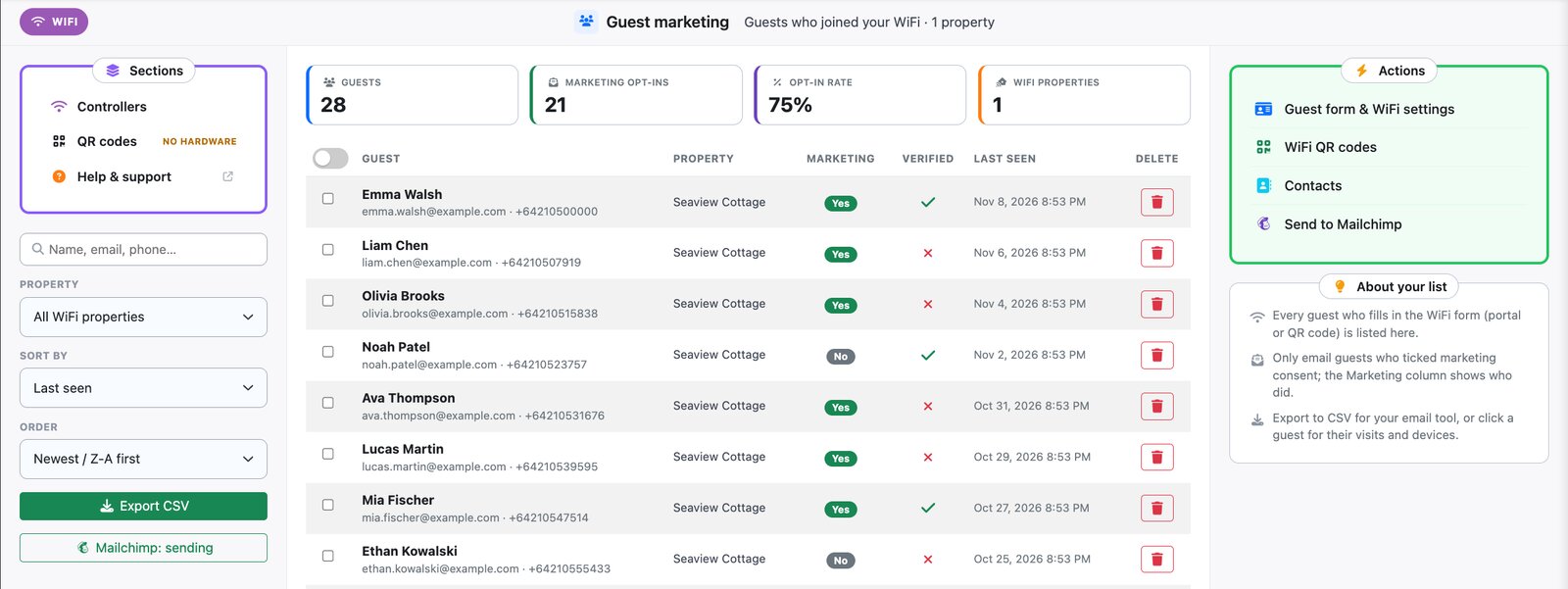
BetterSTR never sees your Mailchimp password, and you can disconnect at any time. Guests already in your audience stay there.
Frequently asked questions
Does it cost extra?
No. Sending guests to Mailchimp is included on every BetterSTR plan. Your Mailchimp plan is between you and Mailchimp, and Mailchimp counts every contact in an audience towards its limits, non-subscribed ones included.
Does it work with the WiFi QR code sign?
Yes. Guests from the captive portal and the QR code sign are both sent. QR code guests don’t verify their email, so they’re left out if you choose verified emails only.
What about Klaviyo, Brevo or other email tools?
Mailchimp is first. Tell us which tool you use and we’ll prioritise it; until then, Export CSV works with all of them.