Every host with a captive portal knows the trade-off. Make marketing consent a condition of getting online and your list grows, but guests feel pushed and some platforms frown on it. Make it optional and most people skip it. And on a busy weekend, one guest streaming in 4K can make the WiFi slow for everyone else in the house.
Guest WiFi speed tiers give you a better middle ground. Everyone gets online. Guests who opt in, or who want to pay for it, get the fast lane.
How it works
- You pick a standard speed for guests: 5 Mbps down / 2 Mbps up, or 2 Mbps down / 1 Mbps up. That is plenty for messages, email, maps and browsing.
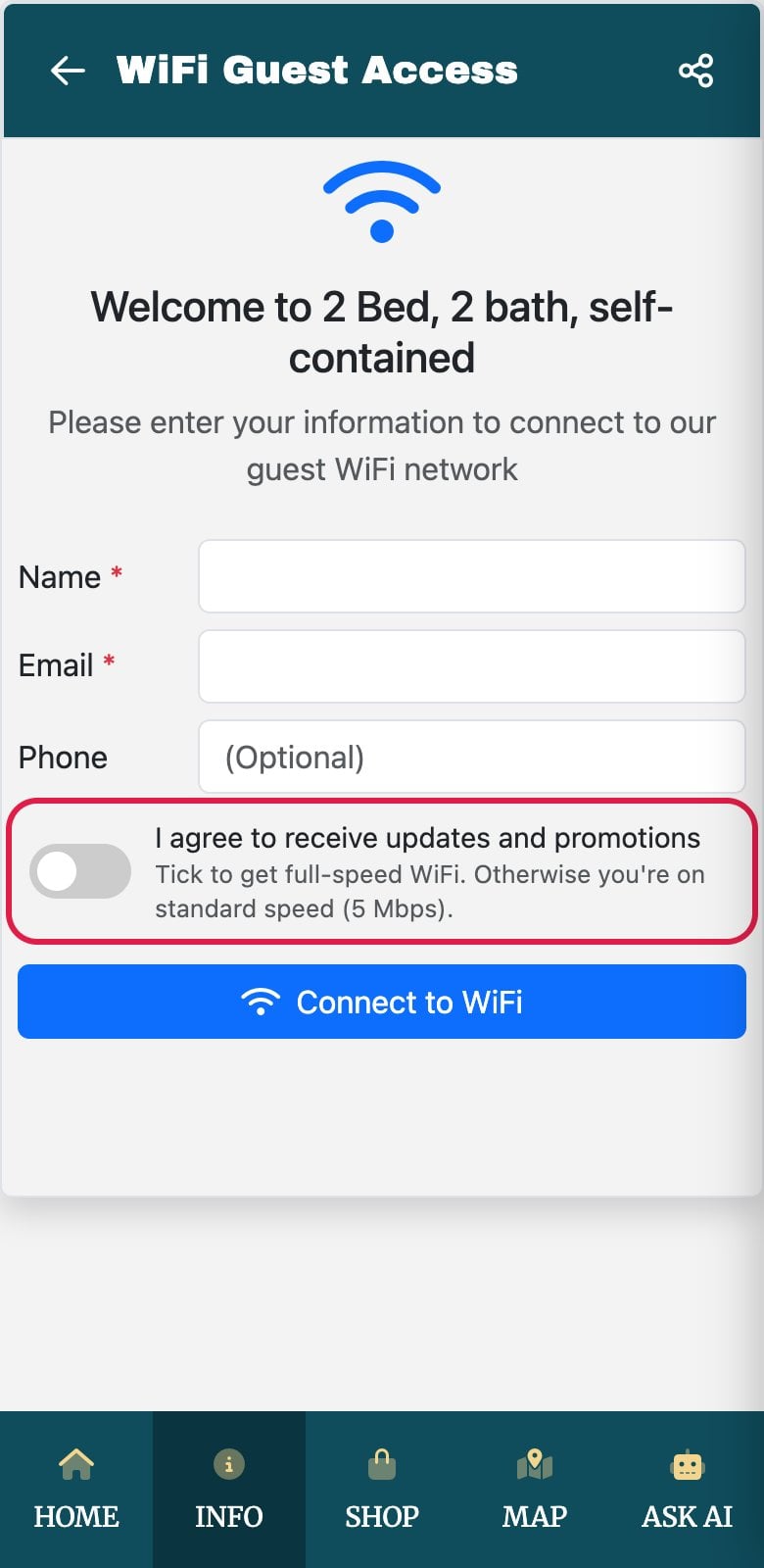
- Guests who opt in get full speed. The marketing box on your sign-in form becomes optional and unticked, with a line under it explaining that ticking it unlocks full-speed WiFi. It is a fair swap, and a guest who chooses to hear from you is worth more than one who was made to.
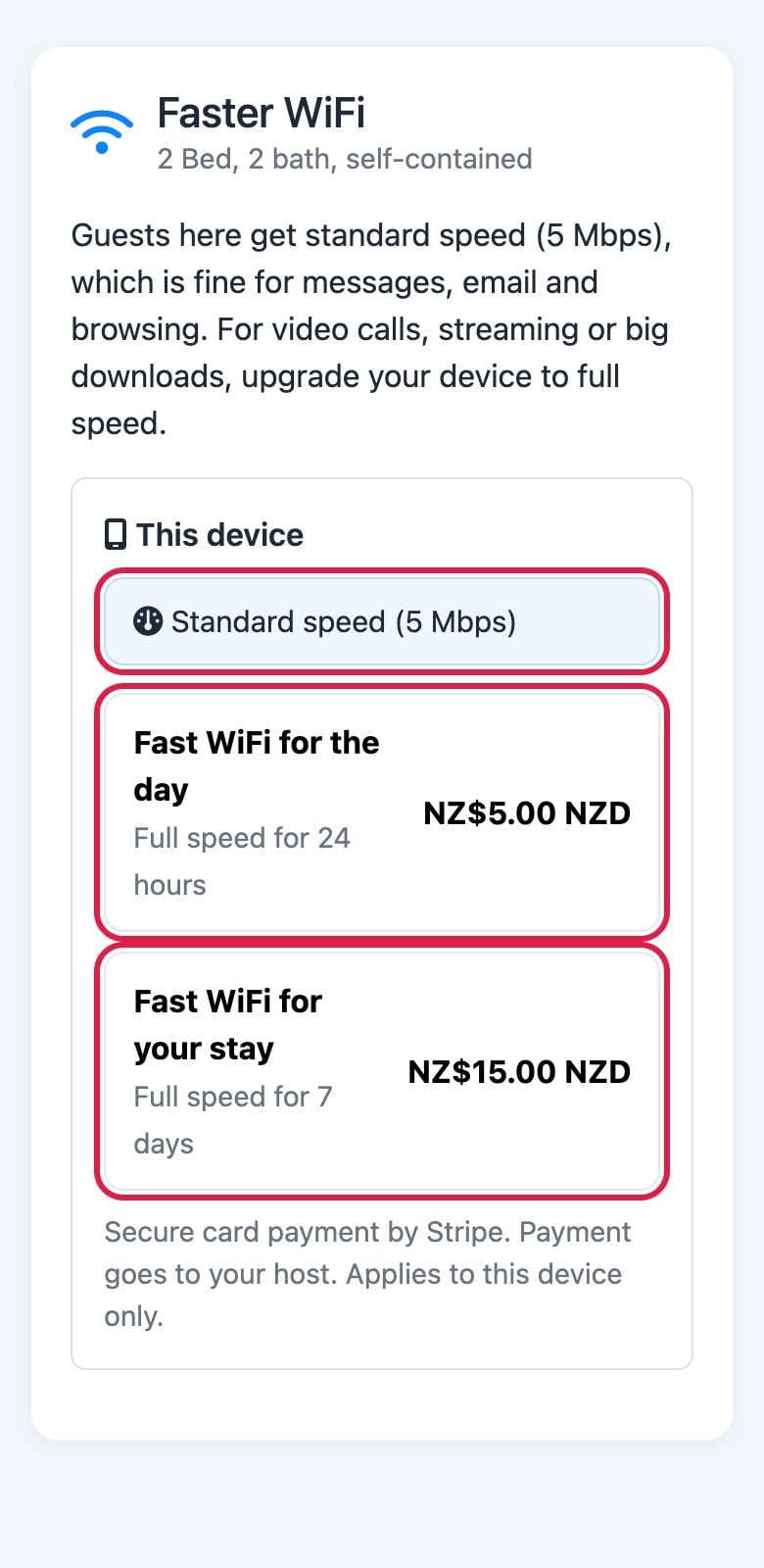
- Anyone can buy a fast-WiFi pass. You set up to three passes, for example a day pass and a stay pass, at prices you choose. Guests pay by card and the money goes straight into your own Stripe account.
Instant, with no signing in again
When a guest pays for a pass, their phone or laptop goes to full speed within seconds. They don't have to forget the network or sign in again. On Omada the change happens on the spot; on UniFi the device drops off for a few seconds and rejoins by itself. If the pass is longer than your WiFi sign-in period, they stay signed in until it ends, and then they drop back to the standard speed. Only the device that bought the pass is upgraded, so a household that wants full speed on every device buys a pass for each.
Where guests find the upgrade
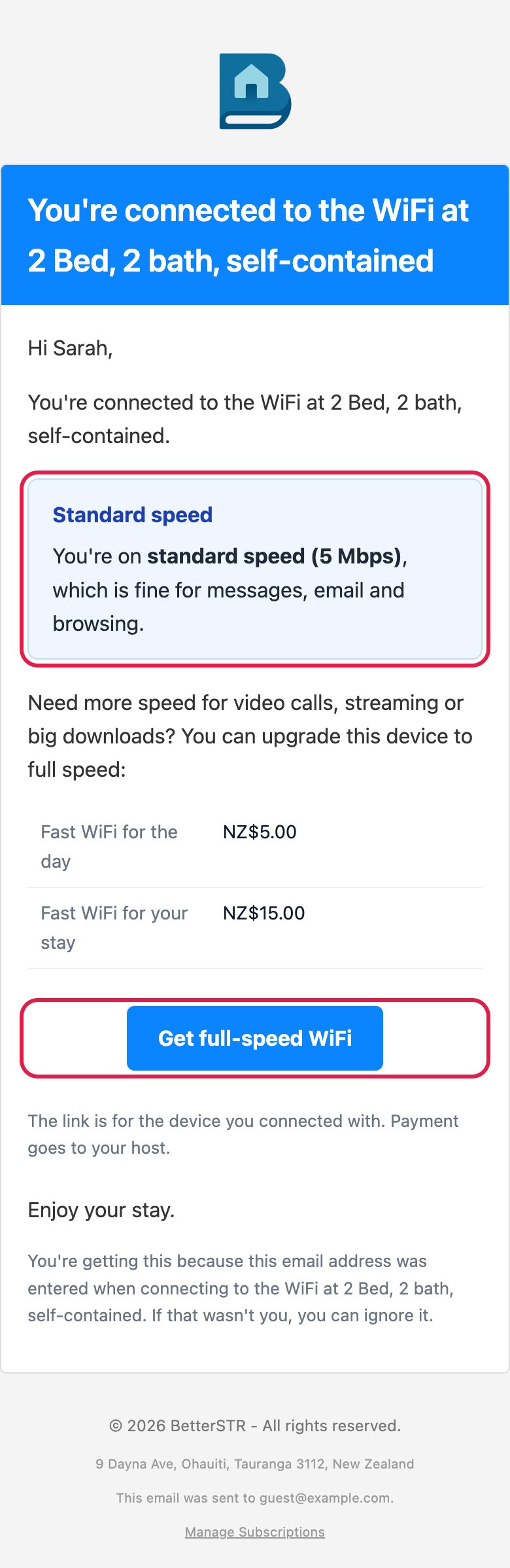
- A confirmation email. Turn it on and guests get a short email after signing in, saying which speed they're on, with your passes and a one-tap button. The button already knows which device to upgrade, so there is nothing to pick. It is a service email about their connection, not marketing, so it goes to everyone and never carries promotions.
- Your guidebook. The modern guide shows a Faster WiFi link next to the WiFi details, and you can drop a
{{wifi_upgrade_button}}anywhere in your guide. During a stay, the page lists the devices signed in since check-in, so guests just tap theirs.
That means fewer messages asking why the WiFi is slow or how to get the fast one. The answer is already on their phone.
Setting it up
In BetterSTR, open Wifi Devices → WiFi settings and find Guest WiFi Speed:
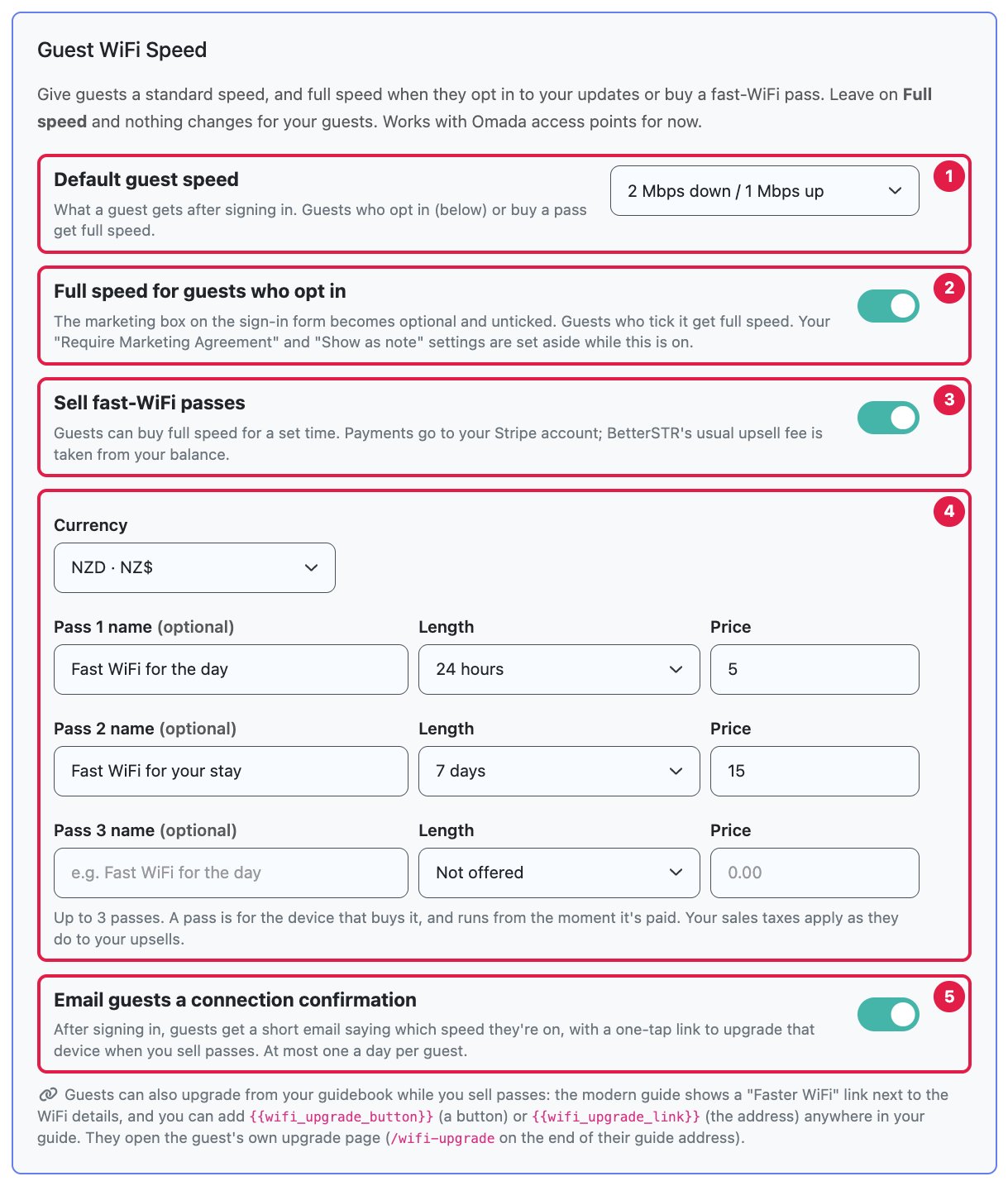
- Choose a default guest speed.
- Switch on full speed for guests who opt in if you want the opt-in swap.
- Switch on sell fast-WiFi passes, pick your currency, and set your passes (1 hour, 24 hours, 3 days, 7 days or 30 days).
- Optionally turn on the connection confirmation email.
You can also set a different speed for one property from its access point settings, so you can try it at one listing before rolling it out. Leave the default on Full speed and nothing changes for your guests at all. The full walkthrough, with every setting explained, is in the knowledge base: Guest WiFi Speed: Standard Speed, Opt-in Unlock and Upsell Fast-WiFi Passes.
What it costs you
There is no extra subscription. Passes are paid into your Stripe account, your sales taxes apply as they do to your upsells, and BetterSTR takes its usual upsell fee from your BetterSTR balance: 3% on properties with Premium Guidebook or BetterSTR Simple, 7% otherwise. Refund a pass from your Stripe dashboard and the guest drops back to standard speed, and our fee is credited back to you.
A note for Airbnb hosts
We wrote last week about Airbnb's new house rules policy for bookings from 20 November 2026, and recommended keeping marketing consent optional. Opt-in for full speed does exactly that: every guest still gets working WiFi without joining your list. If WiFi is listed as an amenity, pick a standard speed that is genuinely usable, and mention in your listing that faster WiFi is available, so nothing comes as a surprise.
Which WiFi does it work with?
It works with Omada and UniFi access points, whether they run on our controllers or on your own UniFi controller connected to BetterSTR. The WiFi QR code option has no access point to set a speed on, so it stays as it is.