Hostify is a property management system and channel manager for vacation rentals, running Airbnb, Booking.com, Vrbo and direct bookings from one place. We built this connection for a Hostify customer who moved their apartments across this week, and it's live on their account now. It's marked Beta while the first hosts use it.
Connect with an API key
- In Hostify, as the account administrator, open the Developer Portal, then API Keys, and create a key.
- Tick these scopes: Listings read, Reservations read (incl. guest data), Guests read, Webhooks read, Webhooks write, Custom fields read and Custom fields write.
- In BetterSTR, go to Integrations → Hostify, paste the key and click Connect Hostify.
- Click Sync Properties. Your listings come across, then your current and upcoming reservations in the background.
Guides that start filled in
Hostify already holds most of what a guest guide needs, so BetterSTR brings it across instead of making you type it again:
- Listings: name, address, map location, guests, bedrooms, bathrooms and beds, one BetterSTR property per listing.
- Photos and amenities, in your Hostify order.
- House rules and check-in instructions, ready to drop into the guide.
- WiFi name and password, which power the WiFi QR code on the guide and the TV.
- Check-in and check-out times, from the guest's planned arrival or the listing.
Every booking, on the right property
Hostify keeps a separate copy of each listing for every channel. BetterSTR puts every booking on the one property it belongs to, whether it came from Airbnb, Booking.com, Vrbo, Expedia or your direct bookings. Each stay comes with the guest's name, dates, adults and children, the channel, the price and the smart lock PIN when Hostify has one. Guest emails and phone numbers come across when the channel shares them, such as the relay email Booking.com gives every guest.
The guide link, saved in Hostify
Airbnb doesn't share guests' email addresses, so the easiest way to reach an Airbnb guest is the message you already send from Hostify. BetterSTR saves each guest's personal guide link in a reservation custom field called BetterSTR guide, which it creates for you. Add that custom field to your Hostify message templates, and every guest gets their own guide in your normal check-in message.
That custom field is the only thing BetterSTR writes to your bookings. It never changes your listings, prices, calendar or reservations.
Changes arrive within a minute
Hostify tells BetterSTR about new, changed and moved bookings by webhook, usually within a minute. BetterSTR double-checks every hour, runs a wider check every 6 hours, and re-reads your listings once a day. Remove a listing in Hostify and it's removed from BetterSTR too.
BetterSTR TV: the screen in your rental
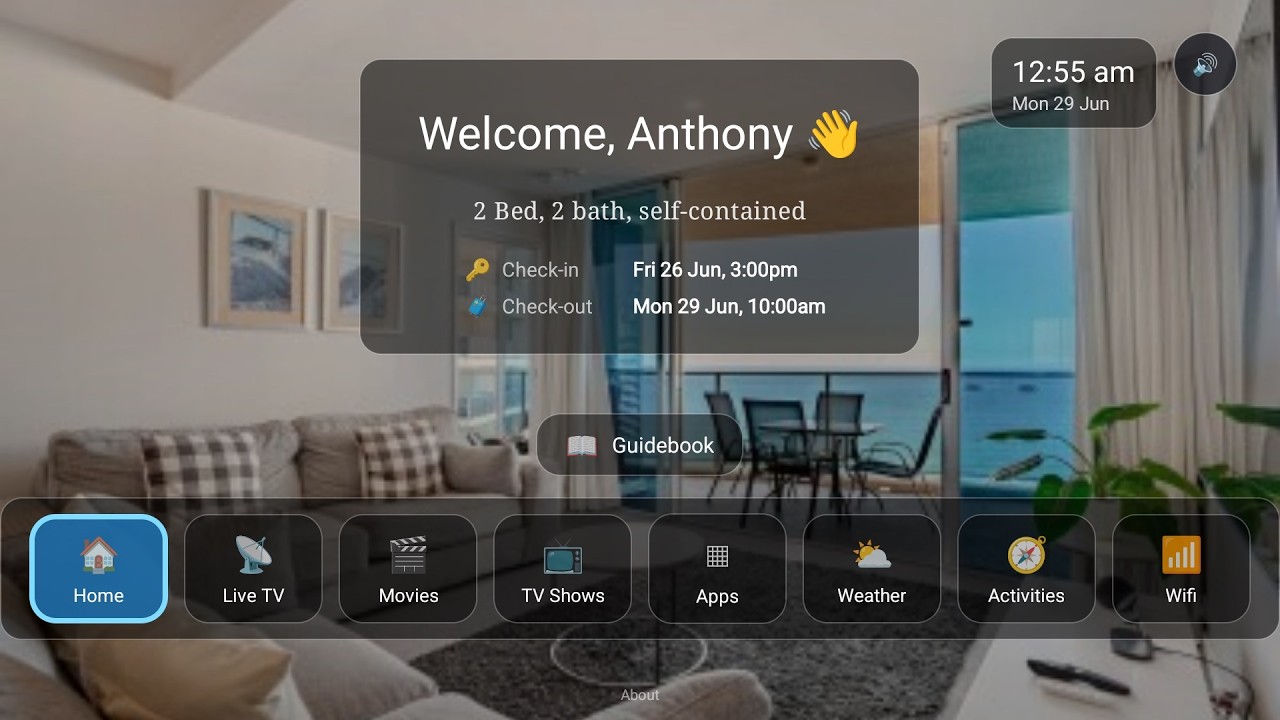
Hostify runs your bookings, and BetterSTR TV puts them on the screen in your rental. It's a guest launcher for Android TV and Google TV, and with Hostify connected, the TV in every property knows who's staying and when:
- Welcome by name: greets each guest by name, keyed to their Hostify booking, and shows their stay dates.
- Guidebook on the big screen: your house information and local recommendations, browsable with the TV remote.
- WiFi QR on screen: guests point their phone at the TV and they're connected.
- Local activities and weather: things to do nearby and the forecast for their stay.
- Casting and streaming apps: guests watch their own content on your TV.
- Upsells: your extras, shown where guests are already looking.
- Clears between stays: the next guest starts fresh.
Watch the Video
Turn your TV into a 5-star guest experience
See the full rundown on the BetterSTR TV page and the digital guidebook page.
What it costs
- No setup fee for the Hostify connection, and it's part of the free plan, like our other PMS integrations. Hostify includes API access on its plans.
- The digital guidebook and the TV welcome screen are free, forever.
- Premium guidebook: 50c per reservation, or $2.99 per property a month.
- BetterSTR TV Premium: $4 per TV a month, from $2 a month prepaid over several years.
Full details are on our pricing page.
The step-by-step help article shows each screen, the Hostify integration page lists exactly what syncs, and you can browse all BetterSTR integrations to see what else connects.