Digital Guidebooks for Streamline VRS
Streamline units, reservations and per-booking door codes, turned into a guide for every stay

INTEGRATION

Streamline units, reservations and per-booking door codes, turned into a guide for every stay
Streamline VRS is used by professional vacation rental management companies, many of them with resort, condo or multi-owner inventory. Those operators already keep a lot of guest-facing detail in Streamline: unit codes, resort names, WiFi, house rules, access notes and, if a supported smart lock is linked, a door code for each reservation. BetterSTR reads that data and builds a personalised guide for every reservation, so your team edits unit information in one place and guests see the current version.
Learn About Streamline VRS Start Free Guidebook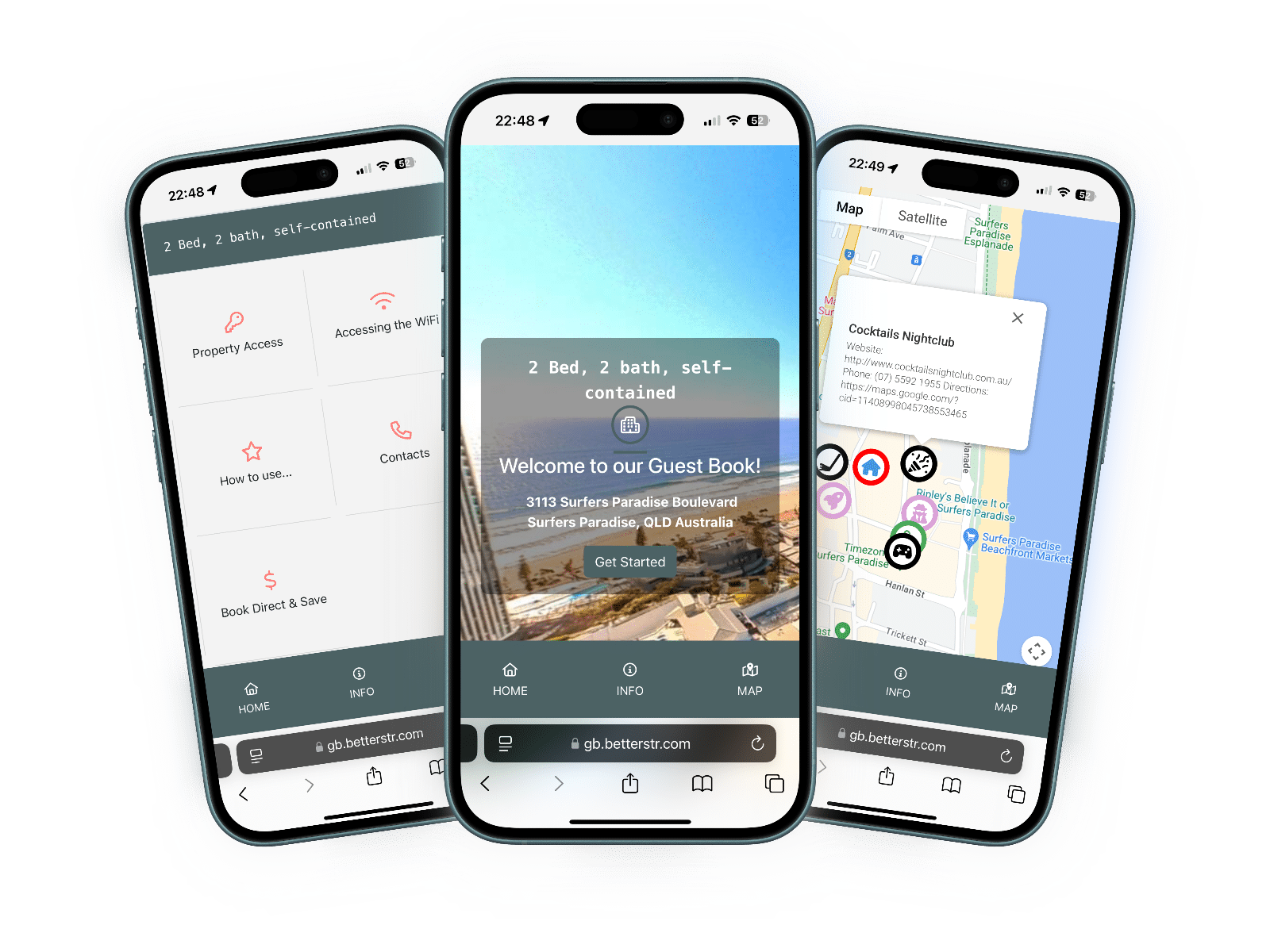
Units refresh once a day, with photos and amenities filled in shortly after. Reservations are checked for changes every 10 minutes.
| Data | Synced? | Notes |
|---|---|---|
| Units | Yes | Name, address, map position, bedrooms, bathrooms, beds, maximum occupancy and currency. Inactive units come across switched off. |
| Description and house information | Yes | Unit description, house rules, access details and neighbourhood text. |
| WiFi | Yes | Network name and security key from the unit record, ready for a scannable WiFi QR code. |
| Photos | Partial | The unit's main photo is used as the guide cover. |
| Amenities | Partial | Only amenities ticked to show on your website in Streamline. |
| Reservations | Yes | Arrival and departure, changes, cancellations and no-shows. |
| Guest name, phone and email | Yes | Mobile first, then home or work phone. |
| Party size | Yes | Adults and children, with pets recorded separately. |
| Door codes | Yes | The per-reservation kabacode, when a Streamline-supported smart lock generates one. |
| Booking source | Partial | Streamline's reservation type, for example Internet Reservation or Owner Reservation. Airbnb and Vrbo aren't told apart. |
| Timezone | Partial | Streamline doesn't send one, so it's worked out from the unit's state and country. You can also set the timezone on each property, or for every property in Property Defaults. |
Streamline issues a Token Key and Token Secret for BetterSTR once you approve us as a partner. Ask your Streamline account manager or support team.
In the same ticket, ask Streamline to whitelist BetterSTR's servers (103.162.48.0/23) and to enable the betterstrguide reservation custom field.
Enter both tokens on the Streamline VRS page in BetterSTR. They're checked straight away, then units load and reservations arriving from two days ago onwards are fetched.
Streamline doesn't offer reservation webhooks, so BetterSTR asks it every 10 minutes for reservations modified since the last check. New bookings, date changes and cancellations reach your guides within about 10 minutes. Unit details refresh daily, and photos and amenities are fetched at a measured pace because Streamline allows 100 requests a minute per token, so a large portfolio fills in over a few minutes rather than all at once.
betterstrguide custom field enabled, BetterSTR writes each reservation's guide link back onto the reservation in Streamline, ready to use in your own guest communication. Syncing still works without it.The guide builder gains Streamline Fields and Streamline Res menus once you connect. A few of the fields:
{{streamline_door_code}} shows the reservation's kabacode, or a clear "not set" note if Streamline hasn't produced one yet.{{streamline_resort_name}}, {{streamline_condo_type}} and {{streamline_unit_code}} for resort and condo inventory.{{streamline_max_vehicles}}, {{streamline_max_pets}} and {{streamline_floor_plan}} for unit rules and layout.{{streamline_confirmation_id}}, {{streamline_check_in_time}}, {{streamline_check_out_time}} and {{streamline_review_url}} per reservation.The same guide can also play on an Android TV display in each unit.
Every Streamline reservation gets its own guide link, so the checkout details each guest sees belong to their booking, not to a generic welcome book.
{{streamline_check_out_time}} prints that booking’s check-out time wherever you put it in the guide.{{streamline_review_url}} to the checkout section so guests can leave a review while the stay is fresh.See what to include in your guidebook for a checkout checklist to start from.
"My guests always know where to find check-in details and house info — fewer questions for us, and better reviews."
Rebekah"The combination of Streamline VRS's automation and BetterSTR's digital guides means we literally never get check-in calls anymore. It's amazing!"
Urban Stays Co."Smart lock codes in the guestbook plus automated messaging means truly contactless hosting. We manage 75 properties with just 2 people!"
Modern Hosting SolutionsRequest your tokens, connect once, and every reservation gets its own guide.
Integration included
Between reservation checks
Token renewal handled for you
No credit card required. SMS and other add-ons are optional.
See BetterSTR pricing (connecting Streamline is free), or browse the integrations directory.
They aren't self-serve. Once you approve BetterSTR as a partner, Streamline issues a token pair for your company. Ask your Streamline account manager or Streamline support, and paste the two values into the Streamline VRS page in BetterSTR.
Most often Streamline hasn't yet whitelisted BetterSTR's server range, 103.162.48.0/23. Streamline rejects calls from addresses it doesn't recognise, so ask their support team to add the range, then connect again.
No. BetterSTR renews the token pair automatically in the two weeks before it expires and stores the new values. If a renewal ever fails, the connection is marked as disconnected and our team is alerted.
Yes, if your Streamline account produces a per-reservation kabacode through a supported smart lock. Add {{streamline_door_code}} or the standard door code shortcode to your guide. If no code exists yet, the guide says so instead of showing a blank.
Within about 10 minutes. Streamline has no reservation webhooks, so BetterSTR checks for changed reservations every 10 minutes. Sync Reservations on the Streamline page fetches changes immediately.