Digital Guidebooks for Planyo
The Planyo Integration That Turns Every Booking into a Rich Guest Experience
INTEGRATION

The Planyo Integration That Turns Every Booking into a Rich Guest Experience
Planyo runs your availability calendar, your booking form and your online payments. BetterSTR adds the guest-experience layer on top: a guest guidebook for every booking, plus Android TV displays inside the property, WiFi QR codes, guest verification, upsells and SMS, all driven live by your Planyo resource and booking data.
By integrating BetterSTR with Planyo, you can:

In Planyo, open Site settings, then Integration & API, and copy your API key. You create and revoke it yourself, there is no application or approval process. Paste it into BetterSTR under Integrations → Planyo.
BetterSTR pulls in your resources and bookings, then registers for Planyo's booking notifications so new bookings, changes and cancellations flow through the moment they happen.
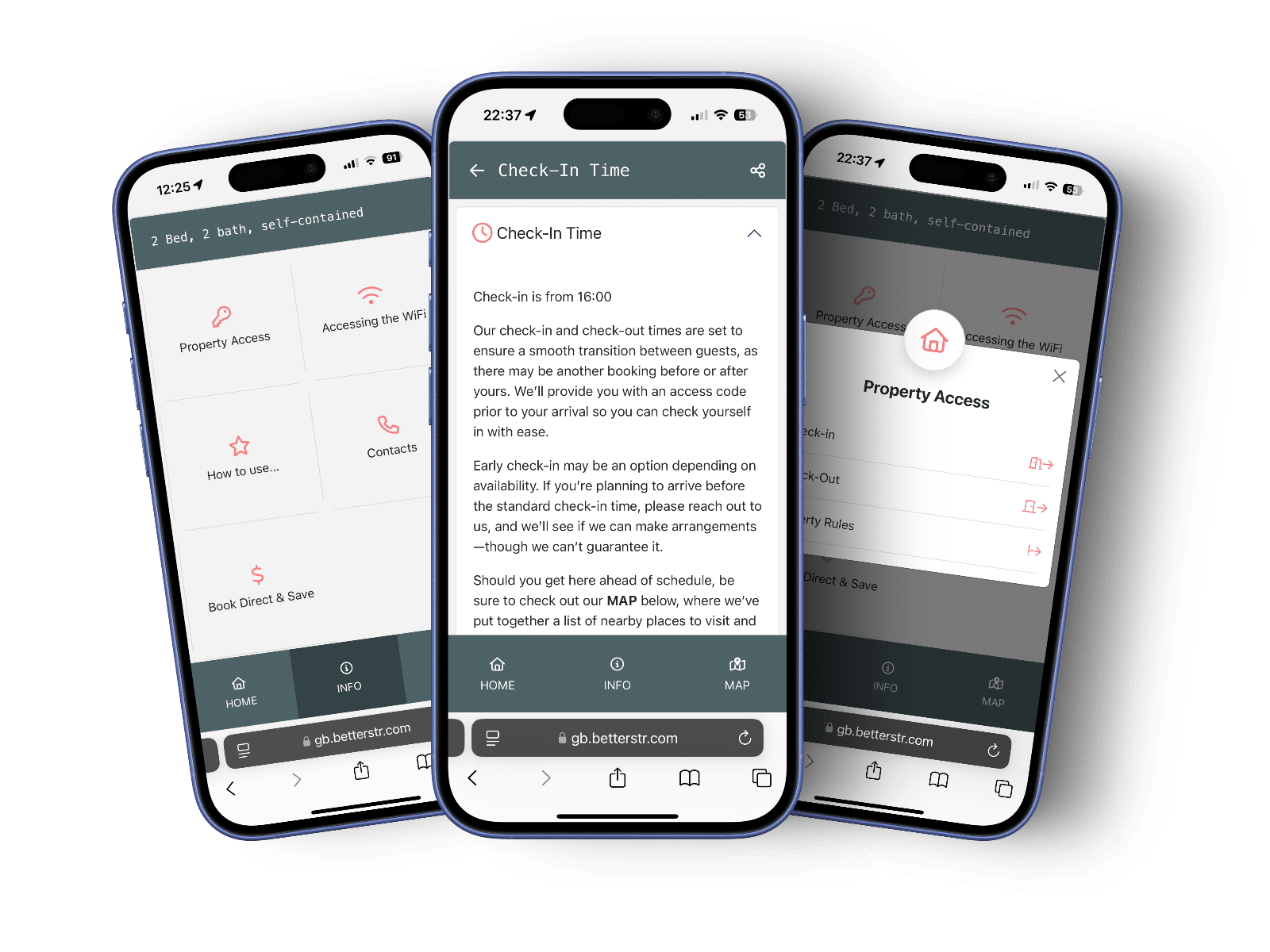
Every booking gets its own guidebook link, on the guest's phone and on the in-property Android TV, with WiFi QR codes, check-in details, upsells and booking-specific shortcodes.
Planyo tells BetterSTR the moment a booking is made, confirmed, changed or cancelled, and an hourly check sweeps up anything a notification missed, so guides always match the calendar.
Show each guest's personalised guide on the TV in the rental: welcome screen, house info and local recommendations, driven by their Planyo booking.
Guests scan and connect. No more typing passwords or 9 PM “what's the WiFi?” messages. Works in guides, on TVs and on printables.
Guides can display booking-specific details from Planyo: reservation number, assigned unit, arrival and departure times, and the answers to your own booking form questions.
Send each guest their unique guidebook link automatically, timed around the arrival and departure times synced from Planyo.
Verify guest identity before arrival and offer local activities, late check-out and extras through the guide, earning commissions along the way.
Planyo handles the booking. BetterSTR adds in-property TV displays, WiFi QR codes, verification, upsells and SMS on top of that same booking data.
Self-service guides reduce repetitive guest questions by 70%. Guests find WiFi, check-in details and house info without messaging you.
Well-informed guests leave better reviews. Clear guides and a welcoming TV screen set expectations from the moment they walk in.
Earn commissions on local experiences and sell upsells like early check-in and late check-out directly through your digital guides.
Join hosts who pair Planyo's 200-channel syncing with BetterSTR's digital guidebooks, TV displays and guest automation.
Optional text message costs apply
Setup Time
Fewer Guest Questions
Properties
No credit card required
Everything you need to connect Planyo and get your guidebooks live.
To connect, open the Integrations page in the BetterSTR members area, choose Planyo and paste your API key. You create the key yourself in Planyo under Site settings, Integration & API, and can revoke it there at any time. BetterSTR validates the key, then syncs your overnight resources along with your bookings, including guest name, email, phone, arrival and departure times, your site's timezone and currency, and the answers to your own booking form questions.
From then on Planyo notifies BetterSTR whenever a booking is made, confirmed, modified or cancelled, with an hourly check behind it, so guides stay matched to your calendar without any manual syncing. Because Planyo is a general booking system rather than a rental-specific PMS, it does not store things like your street address, bed counts or WiFi details, so you add those once in BetterSTR.
Yes. All BetterSTR integrations, including Planyo, are included in the free plan with unlimited properties and guidebooks. You only pay for optional add-ons like SMS, WiFi marketing or a custom domain.
Copy your API key from Planyo under Site settings, Integration & API. Then paste it into Integrations → Planyo in the BetterSTR members area. Your resources and bookings sync automatically.
No. Planyo API keys are self-service on every account, created from the Settings page. There is no plan upgrade or partner approval required, and the BetterSTR side is free on every plan.
Your overnight resources (name, photos, currency, timezone and your own custom resource fields) and your bookings, including guest name, email, phone, arrival and departure times and your booking form answers. Planyo notifies BetterSTR of changes as they happen. You add the rest, like your address, WiFi and house info, once in BetterSTR.
Yes. If a booking is in Planyo, BetterSTR sees it, whether a guest made it through your Planyo booking form, you entered it by hand, or it arrived through one of Planyo's own channel integrations. Each one gets its own personalised guide link.
No. BetterSTR complements Planyo. Planyo runs your availability, booking form and payments; BetterSTR delivers the guest-facing guidebook, in-property TV displays, WiFi QR codes and guest automation on top.